
After the introduction of restrictive measures, the question of how to donate to PUBG Mobile in Russia. In-game purchases allow you to get special weapons, skins and other various bonuses. In this regard, many players are interested in whether there are ways to top up an account bypassing restrictions.
All ways to donate in PUBG Mobile and buy UC
This article details all the existing working options to donate to Pubg Mobile in 2026.
How to donate to PUBG Mobile with a discount (by ID)
Most deposit methods are unavailable to regular users or require complex workarounds and significant time investment. First, let's look at the simplest and guaranteed-to-work method for donating to PUBG Mobile with a discount, which will be significantly cheaper than the official store. If you haven't previously used intermediary services, we recommend using the platform. donatov.net, which offers discounts and guarantees. The platform has many advantages:
- Suitable for both Android and iOS (iPhone).
- Low prices for Russian users and ongoing discounts and coupons.
- Safe deposits – you don't need to share your account to make a donation; just provide your UID.
- Technical support is always available and answers questions.
Where to see ID
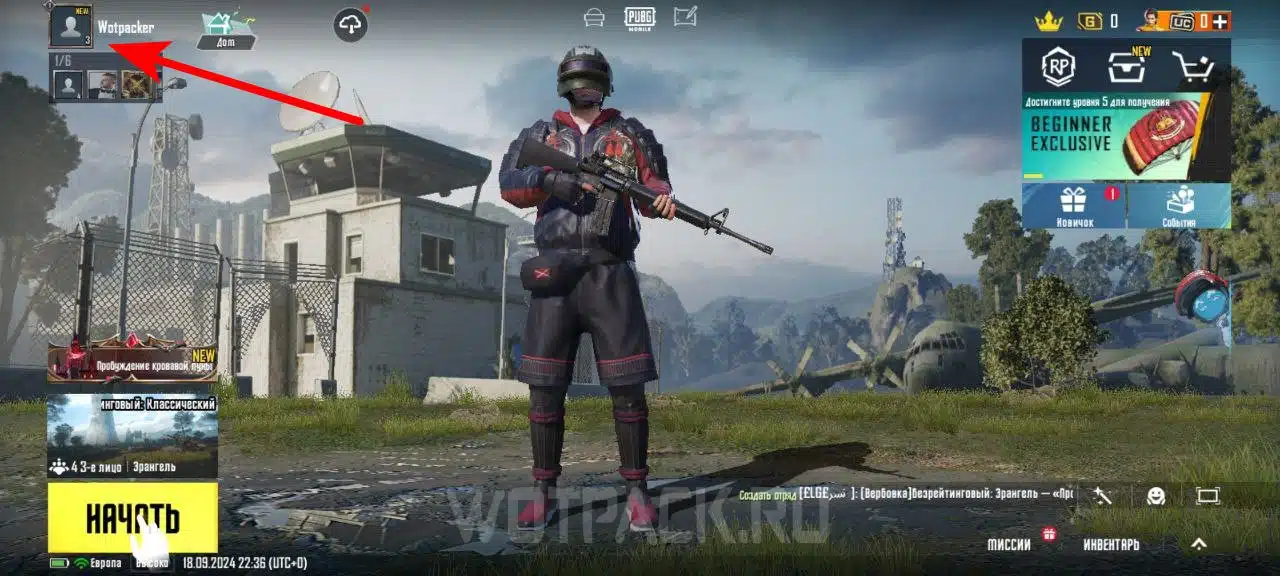
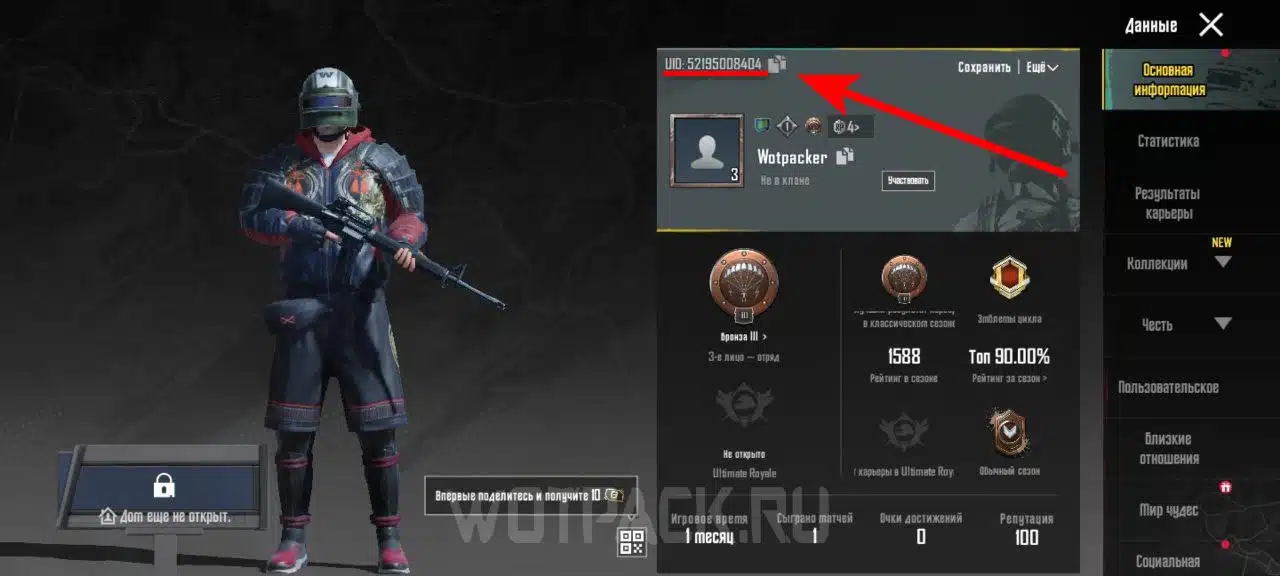
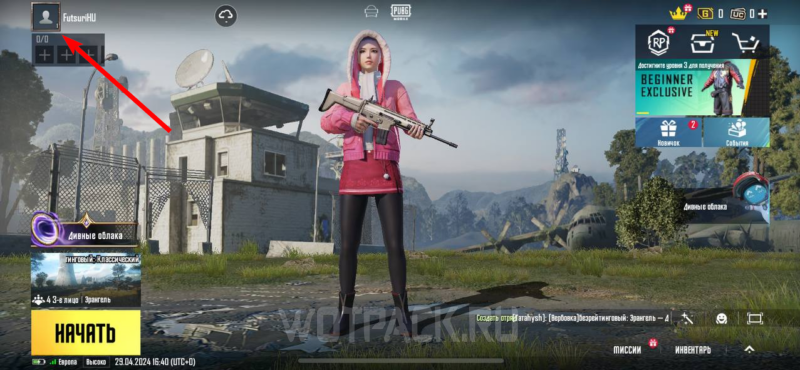
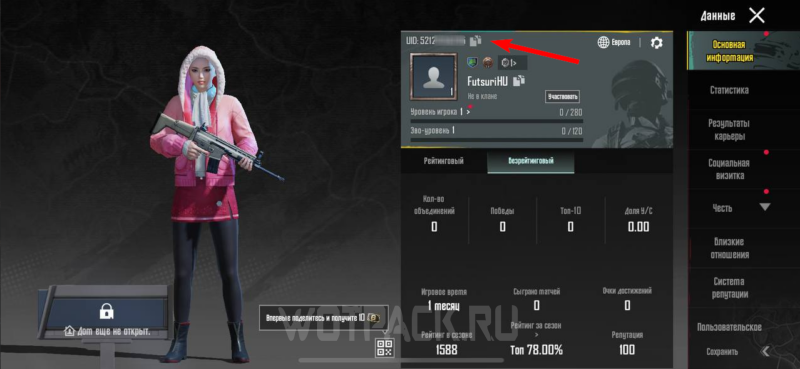
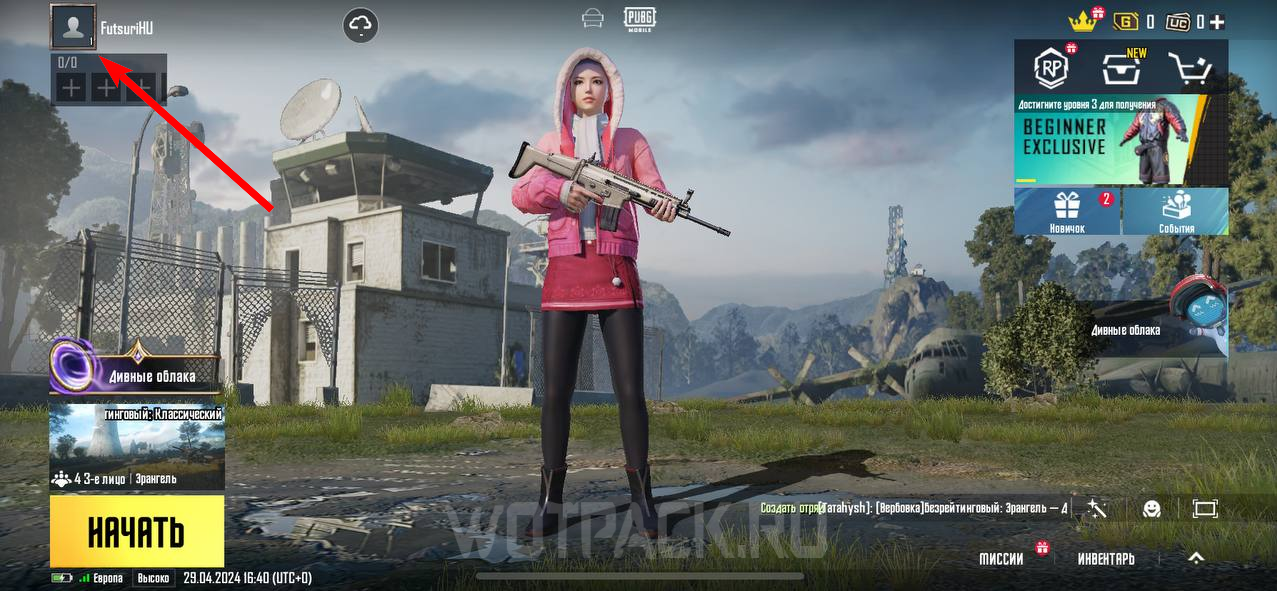
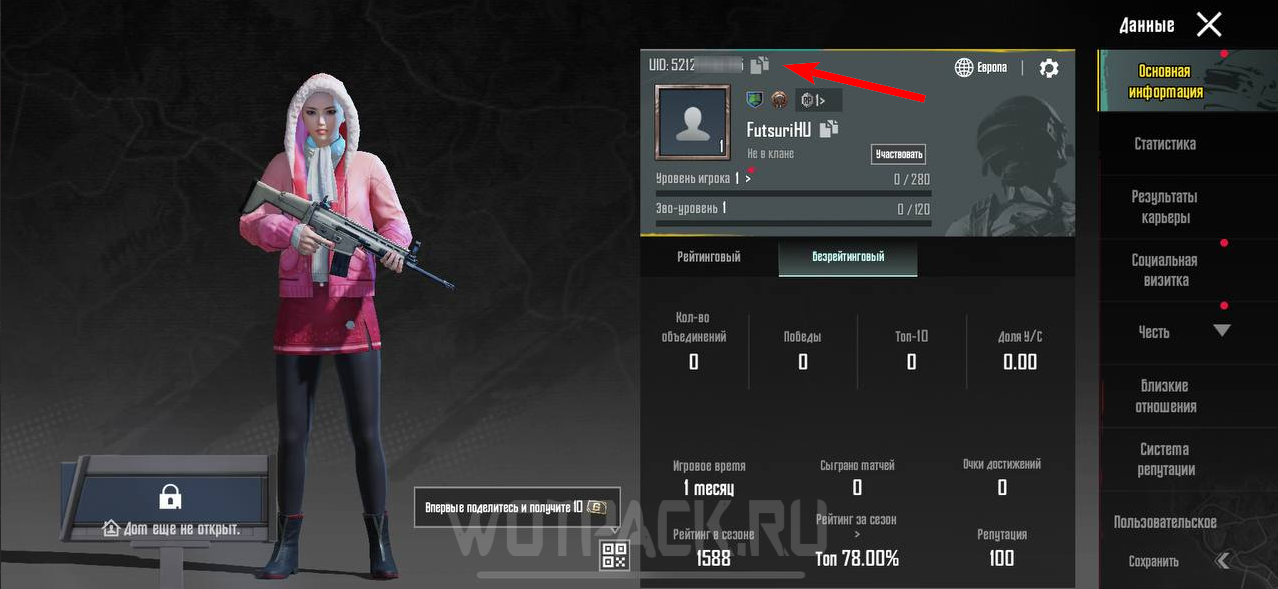
To find your personal identifier in PUBG Mobile, click on the icon with your nickname in the upper left corner. In the menu that opens on the right, you will notice a combination of numbers - this is the UID. Click on the icon next to it to automatically copy the numbers.
How to donate
To test this, we donated to PubG Mobile and prepared instructions:
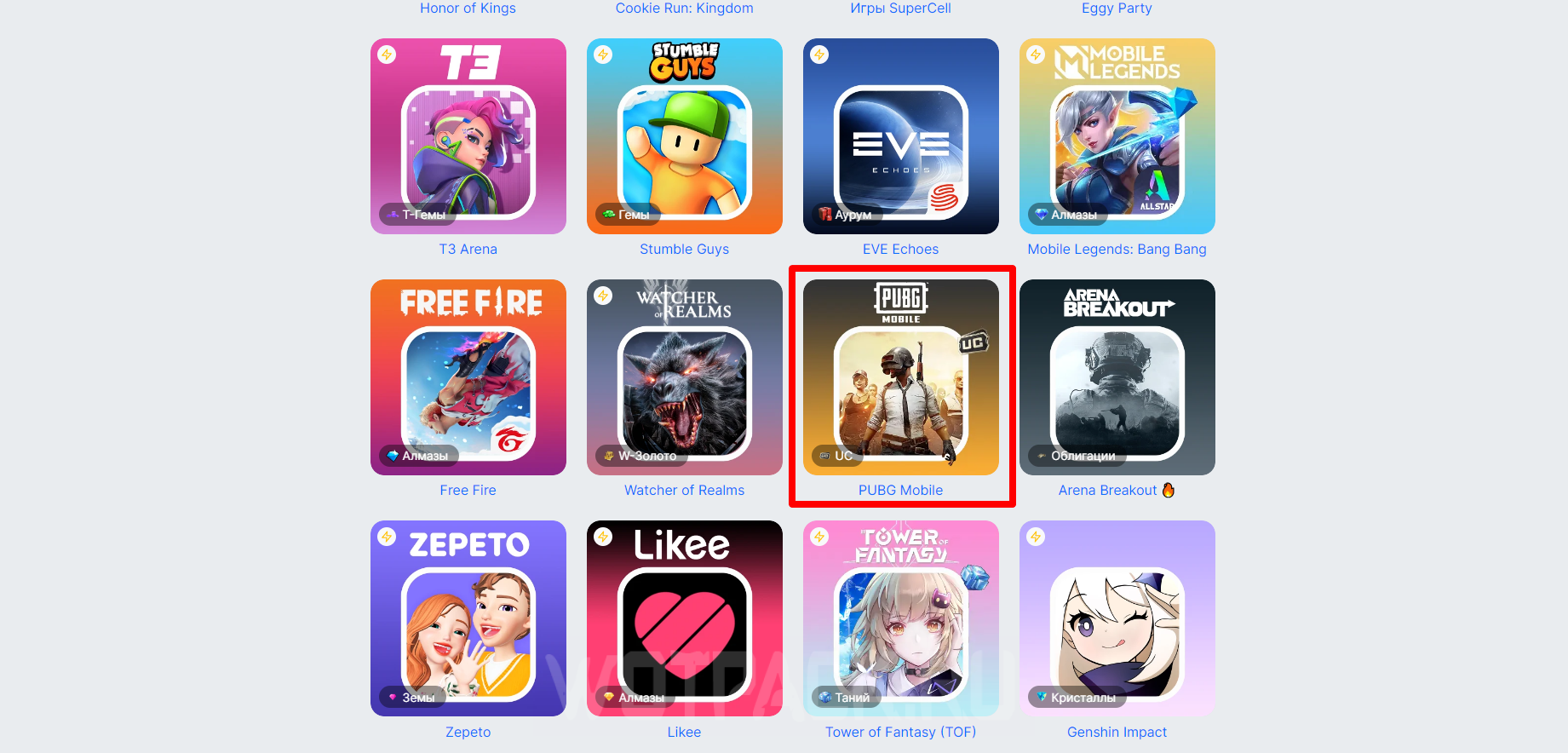
- Open the section PUBG Mobile on the website (clickable link).
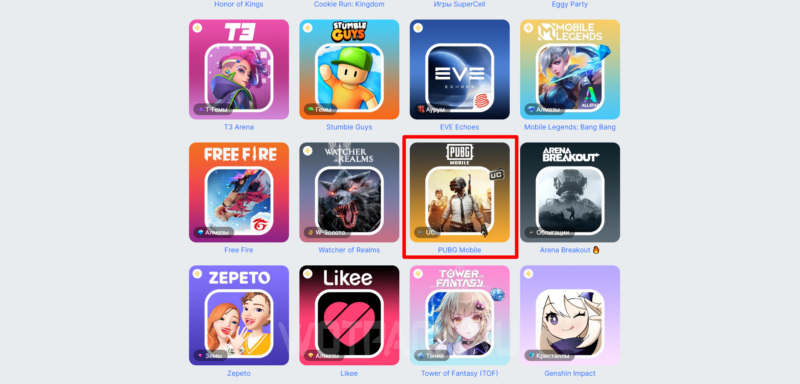
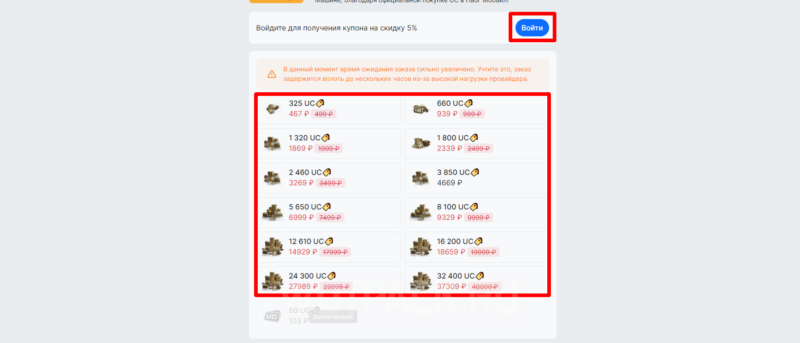
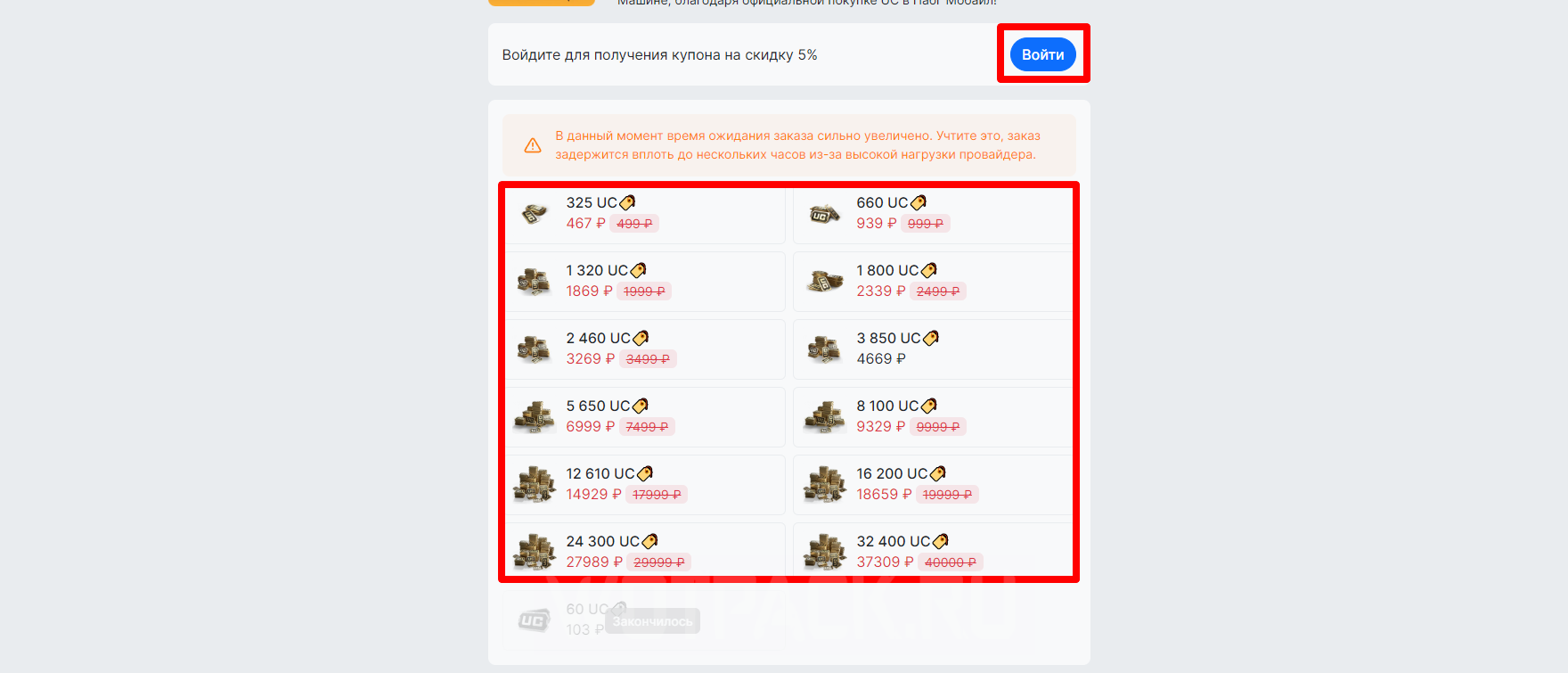
- Select the required amount of donation currency. We also recommend logging in to your account to receive a discount coupon.
- Enter the game and click on the avatar in the upper left corner, it is located next to the username.
- Copy or rewrite somewhere UID, located directly above the nickname.
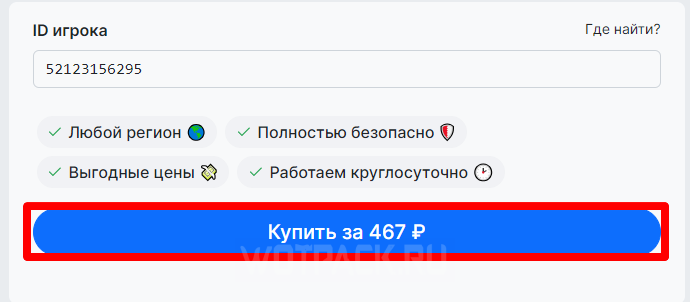
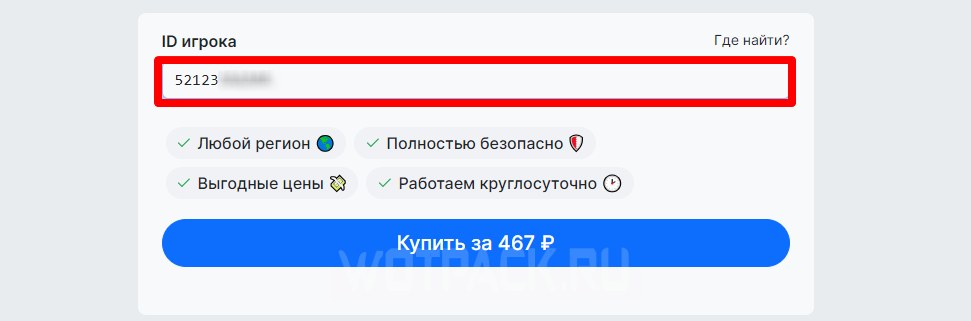
- On the website, scroll down a little and fill in the line Player ID.
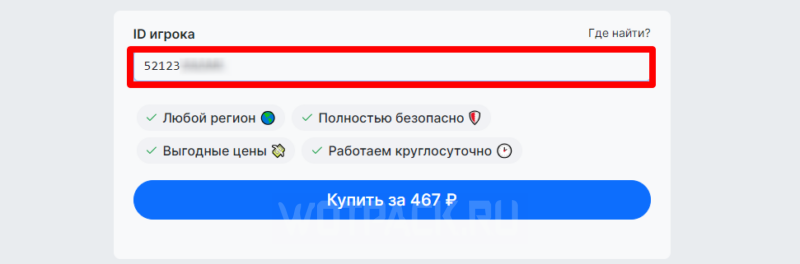
- Click "Buy".
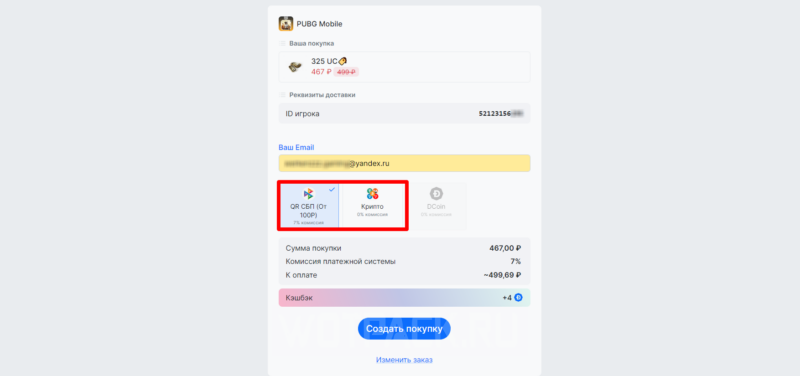
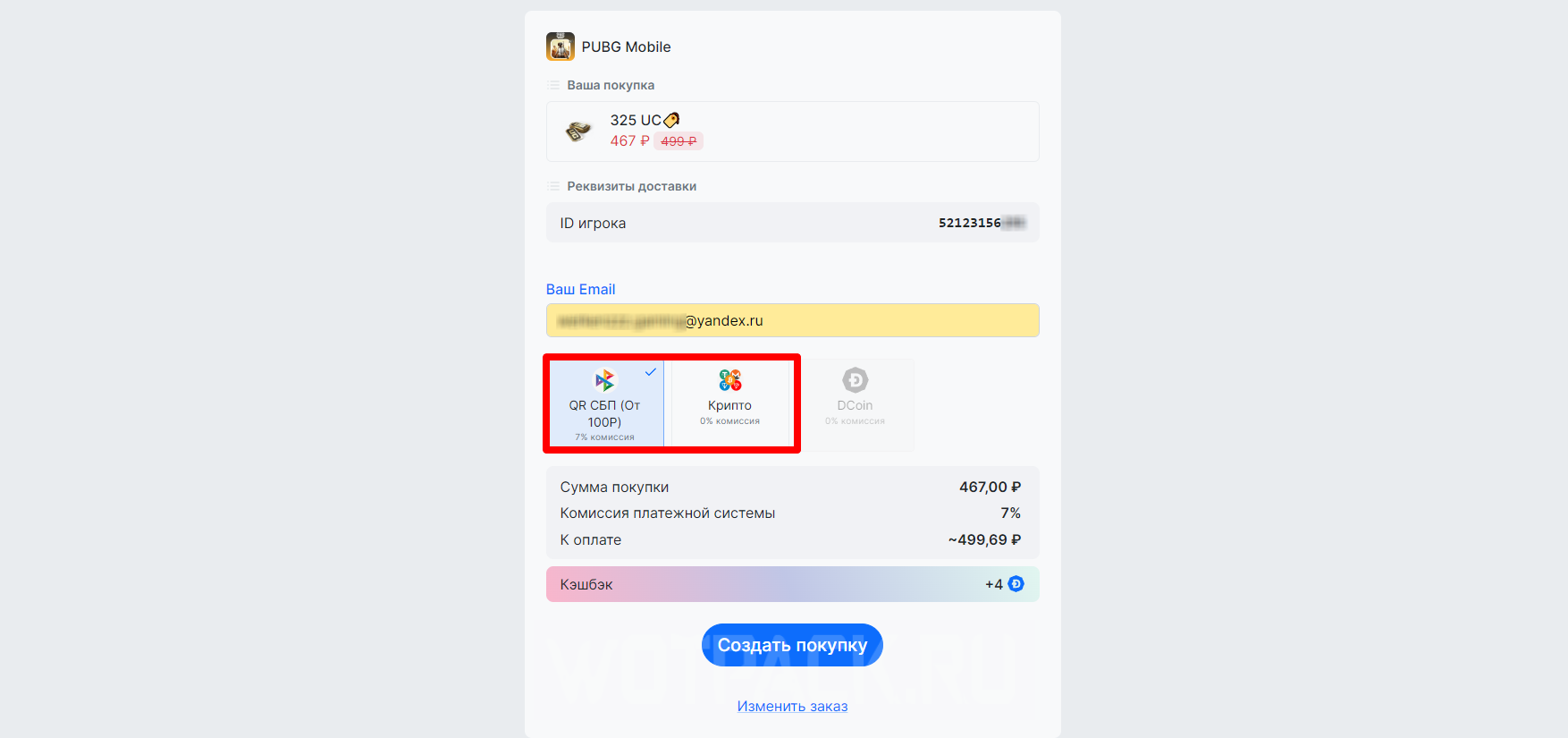
- Enter the email address where the receipt will be sent, and select one of the payment methods: SBP via QR code or cryptocurrency. Now you can click on "Create Purchase" button.
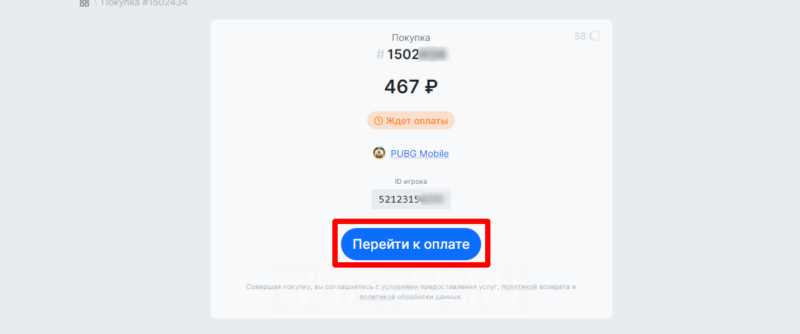
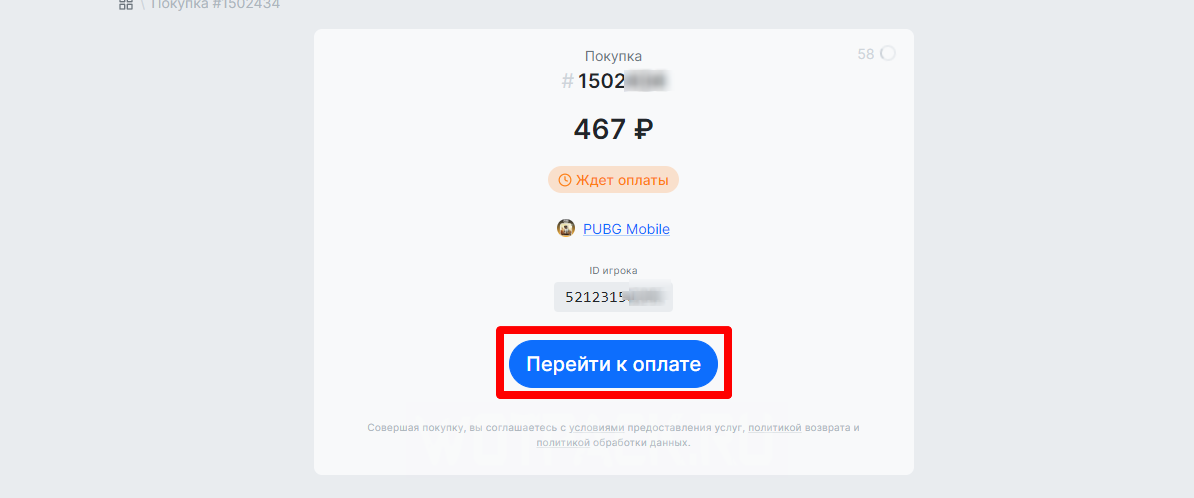
- Once you are on the order page, click "Go to the payment", after which the site will redirect to the online cash register page.
- After paying for the item, wait for the donation to arrive in your account. You can track your order status on the same page you used to complete the payment.
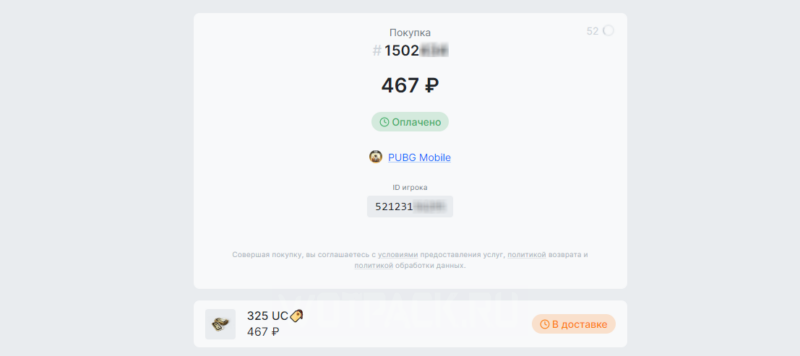
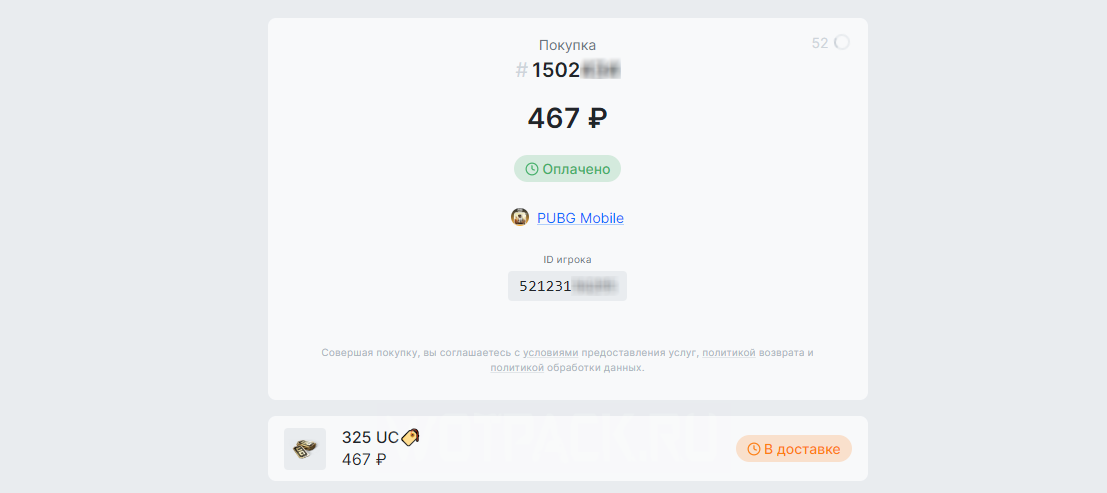
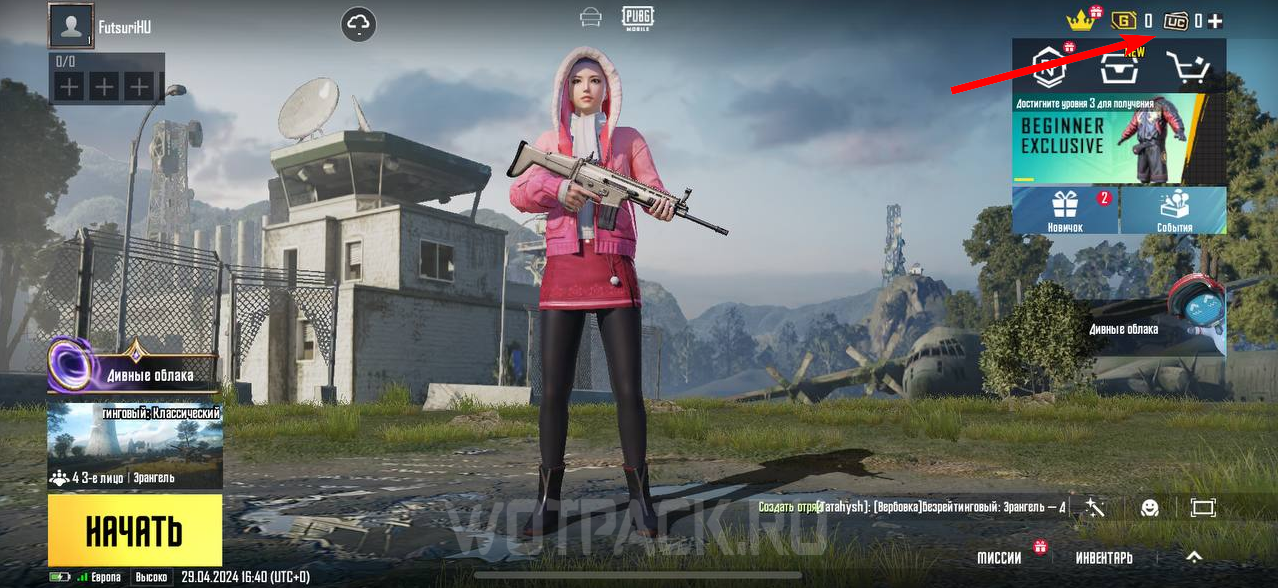
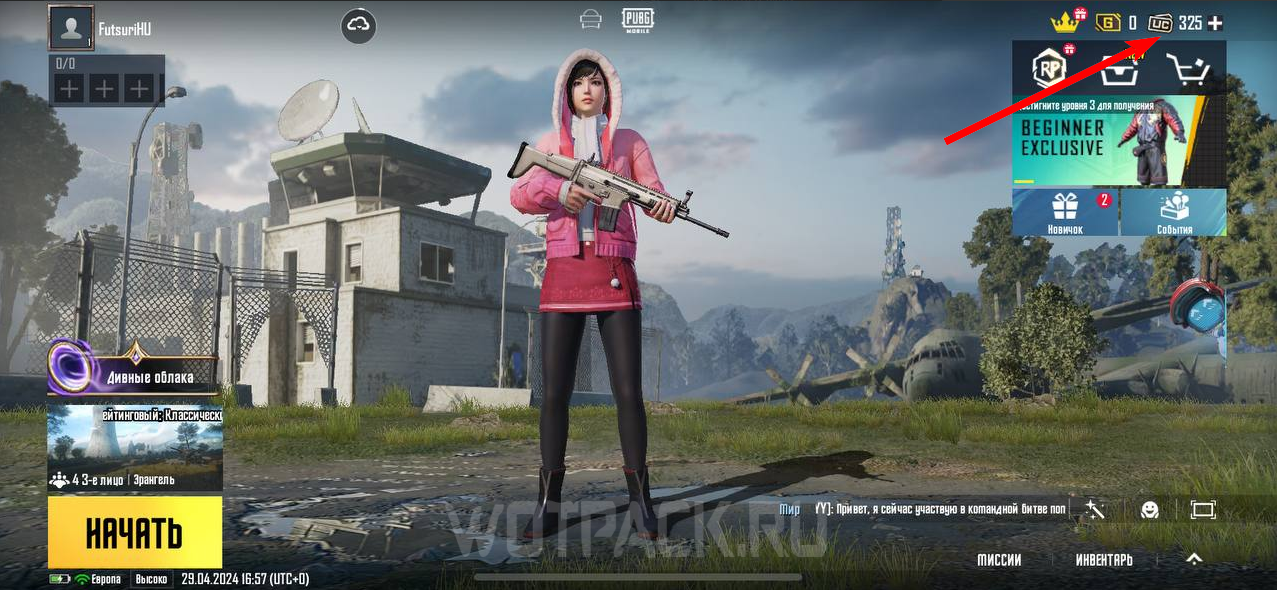
Delivery times can vary from a minute to several hours, depending on the service's workload, but donations often arrive within 10-15 minutes. The screenshots below show the balance before and after the top-up.
How to donate to PUBG Mobile on Android
The only actual way to donate through Android is AppGallery. Please note that Google Workspace (formerly G Suite) may not be compatible with AppGallery (which includes Gmail, Drive, Meet, Google Maps, YouTube).
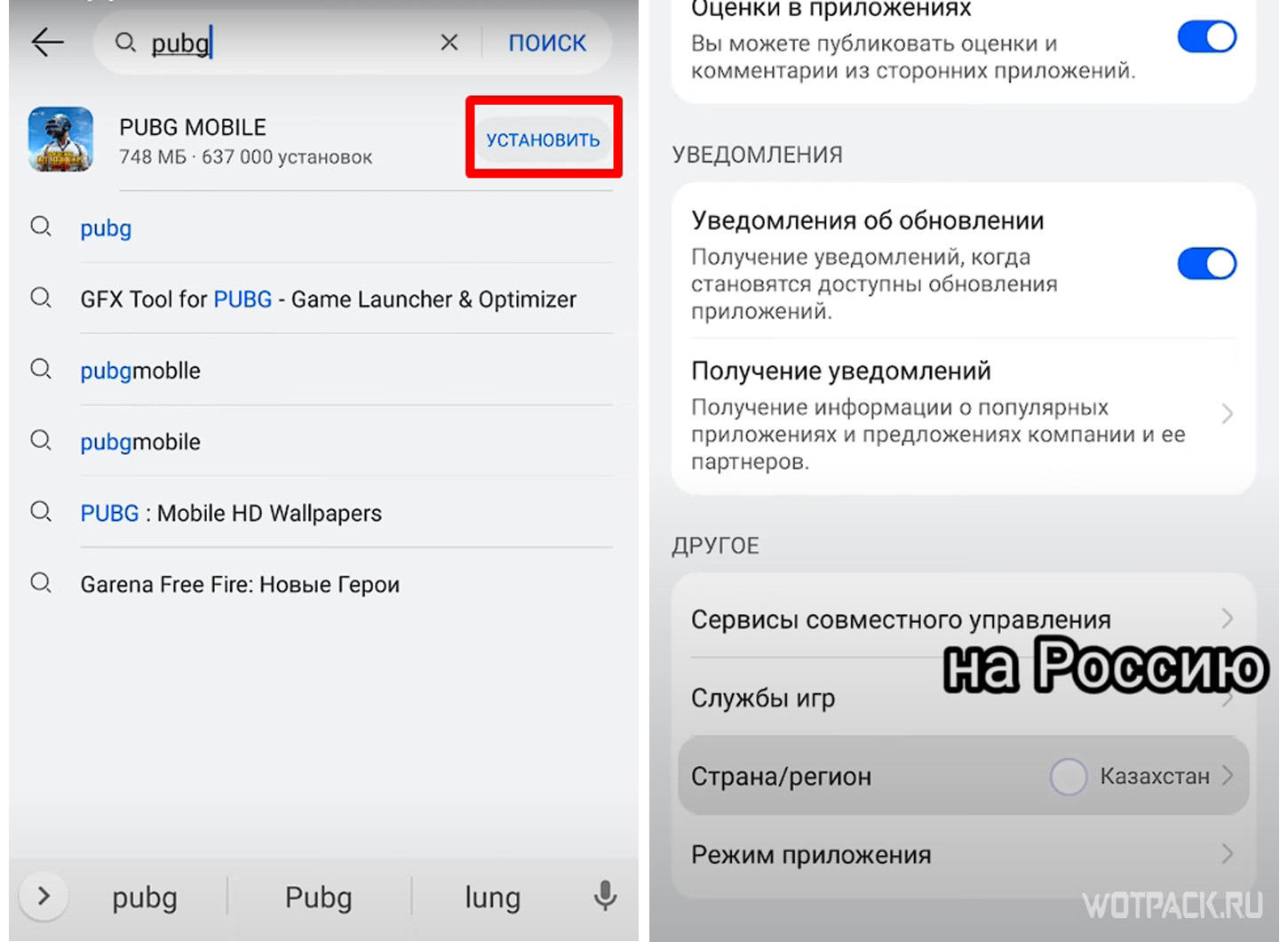
In a separate guide, see how to download and install AppGallery. At the time of account registration, first set the region Kazakhstan.
After installing the application, follow these steps:
- Search for PUBG Mobile and download. Then return to Setting account and change the region back to Russia.
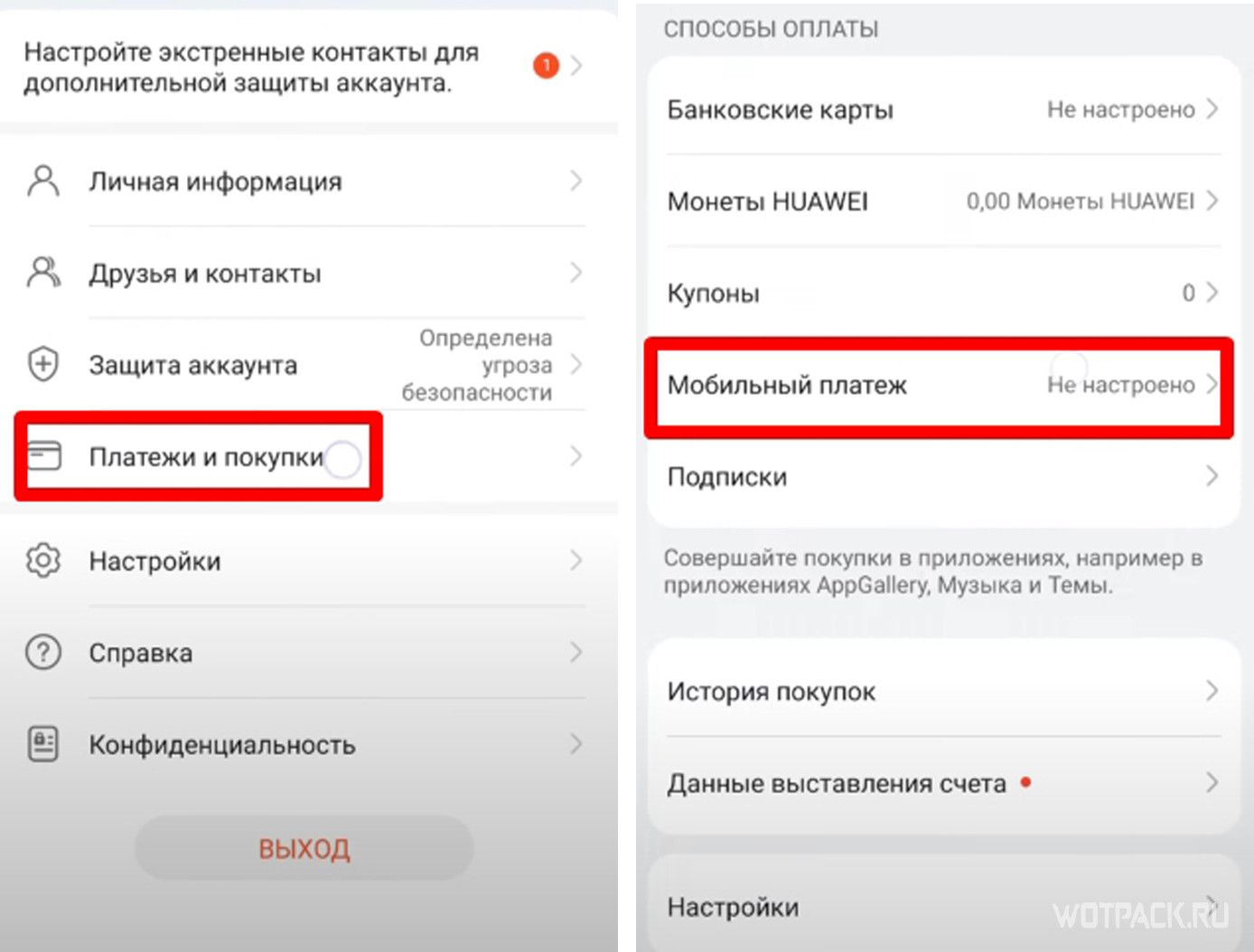
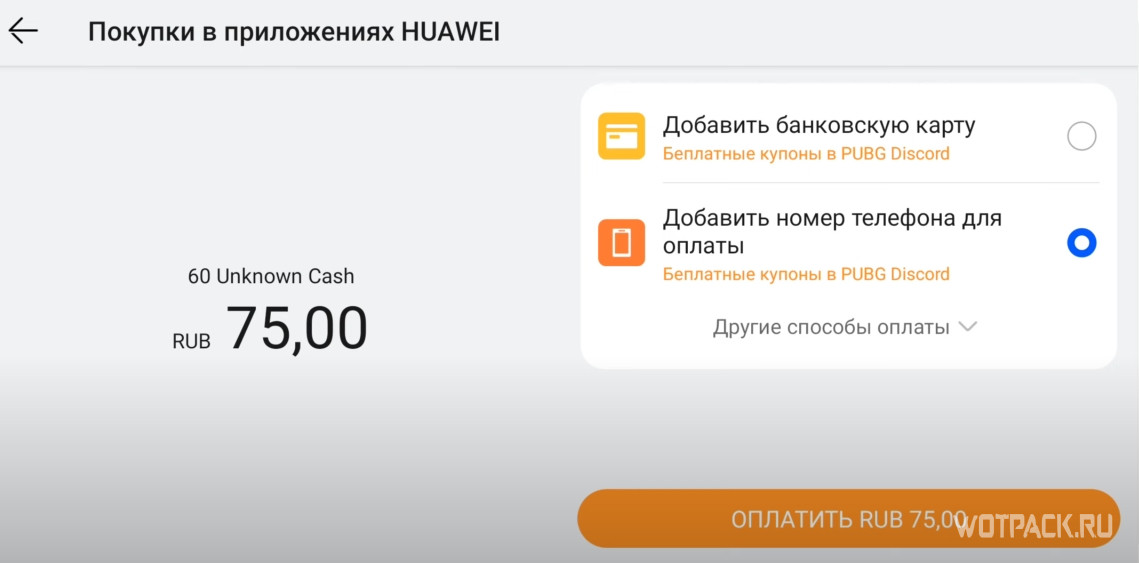
- Next, add a payment method Mobile payment in "Payments and purchases".
- Now you can go into the game and donate.
Is it worth donating through exchanges?
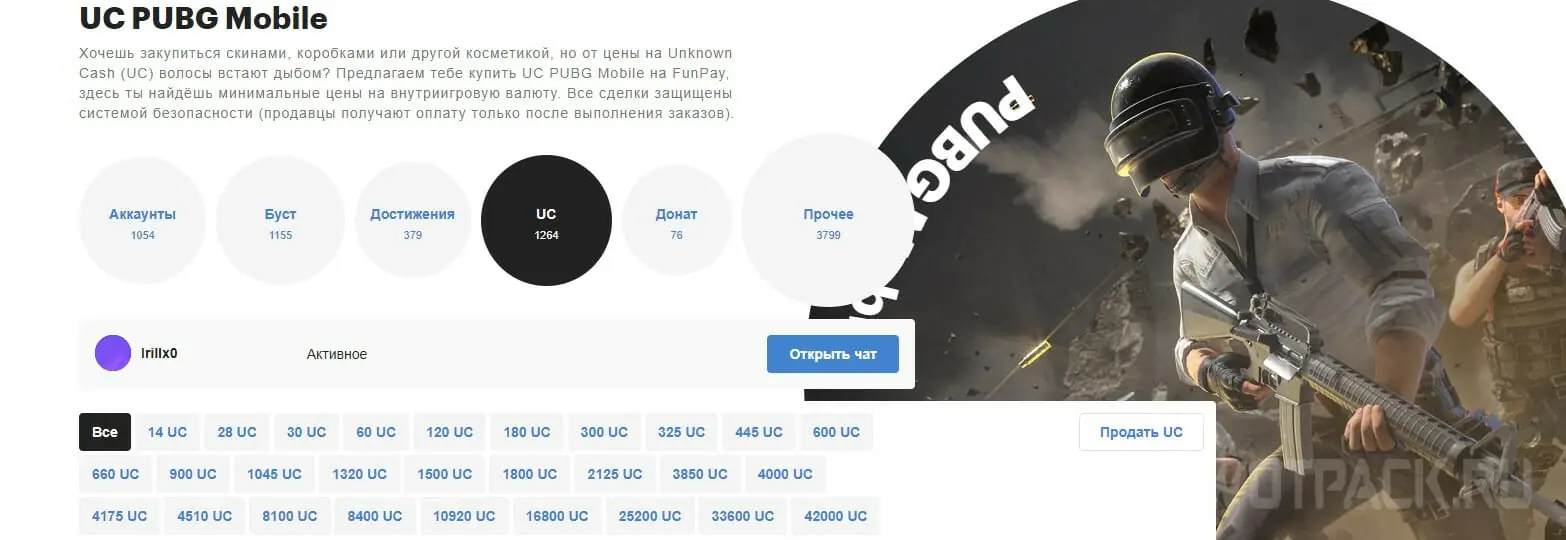
The only way to purchase in-game currency (UC) in Pubg Mobile, without resorting to official websites and various app stores like Huawei, is to go to trading platforms or game value exchanges.
One of the most popular sites of this kind is considered fun pay. However, in order not to fall into the "paws" of scammers, it is important to remember the following rules:
- carefully study the reviews from sellers (both positive and negative);
- as a replenishment method use replenishment by ID;
- contact only users with high ratings;
- do not confirm the transfer of funds until the purchased amount of UC is credited to the personal account of the account.
How to get UC for free
The safest option to get currency for free is various promotional codes.
On our website you can find all promo codes for PUBG: New State.
How to donate to Korean PUBG mobile
Pubg Mobile Korea and, like any Asian version of the game in general, is slightly different from the European version, including the fact that there is a separate game currency. However, being in Russia, donating to Korean Pubg can be problematic, so we will consider all possible options below.
Through the phone
For donation through Android you need to do the following:
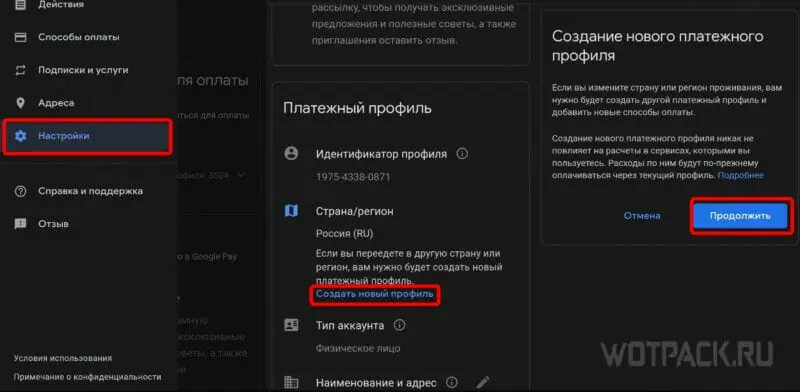
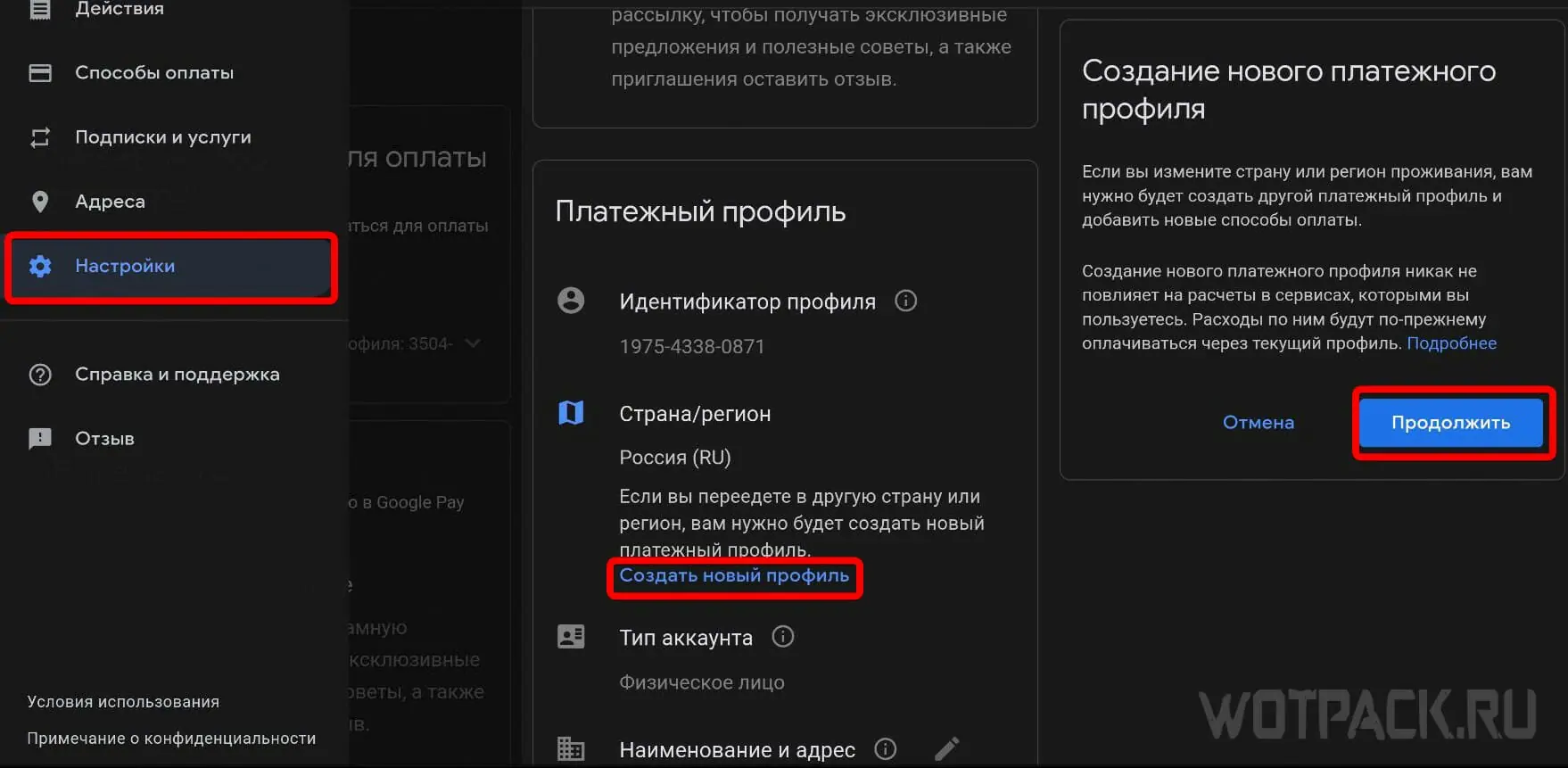
- Opening the official page GPay (payment service) and create a new payment profile. To do this, go to Settings > Payment profile (country/region) > Create a new profile.
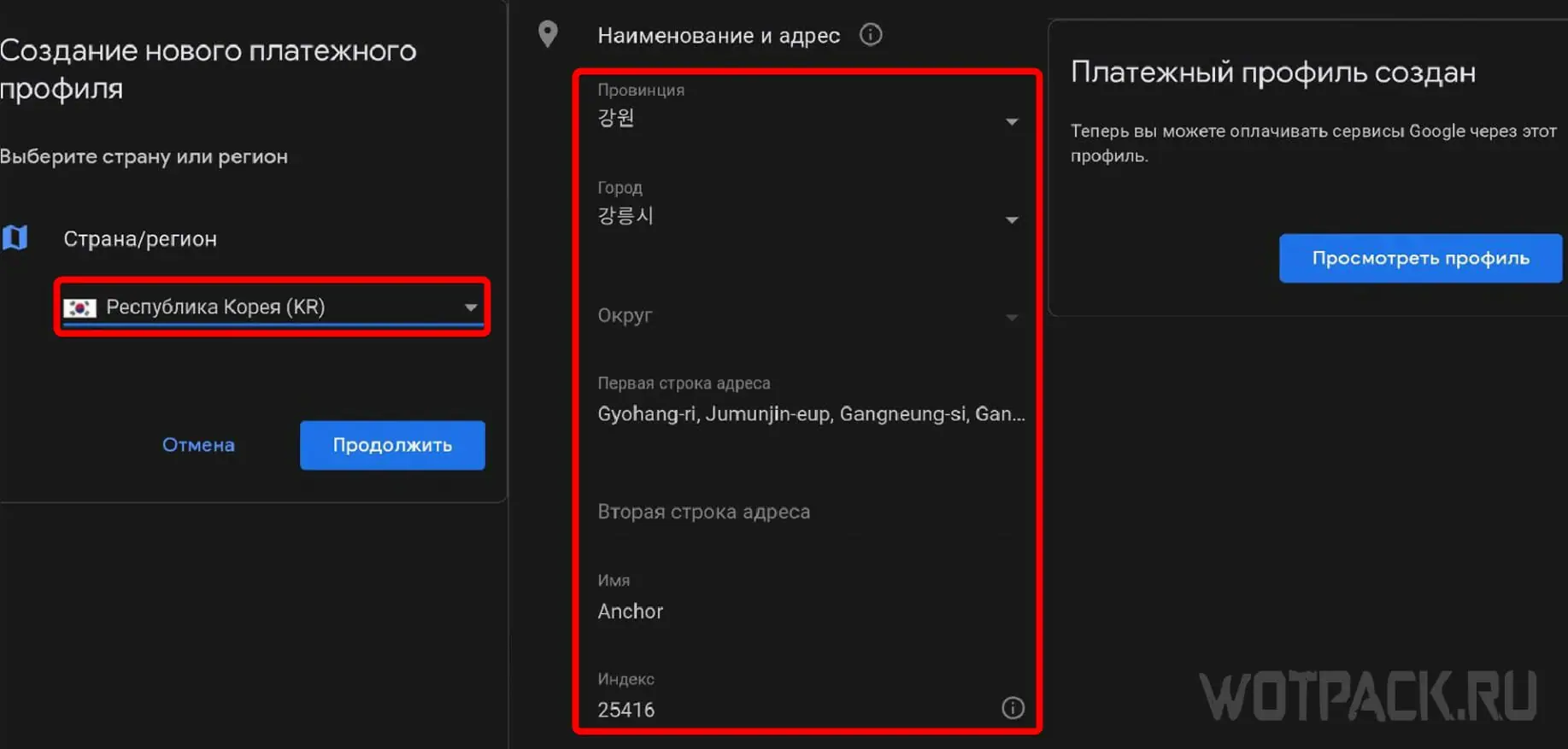
- Choose the Republic of Korea (KR). After that, fill in the data as follows: province and city are the first names from the list; the first line of the address is 918, Gyohang-ri, Jumunjin-eup, Gangneung-si, Gangwon-do, 25416; index - 25416.
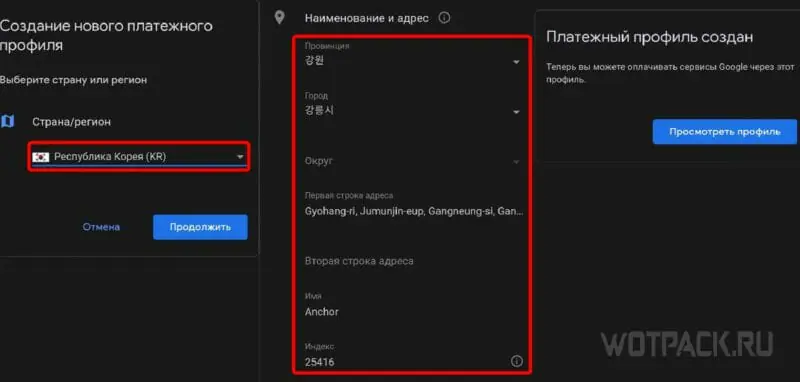
- After successful creation, we return to the settings and select the newly created payment profile. In the "Payment Methods" tab, you can add a bank card.
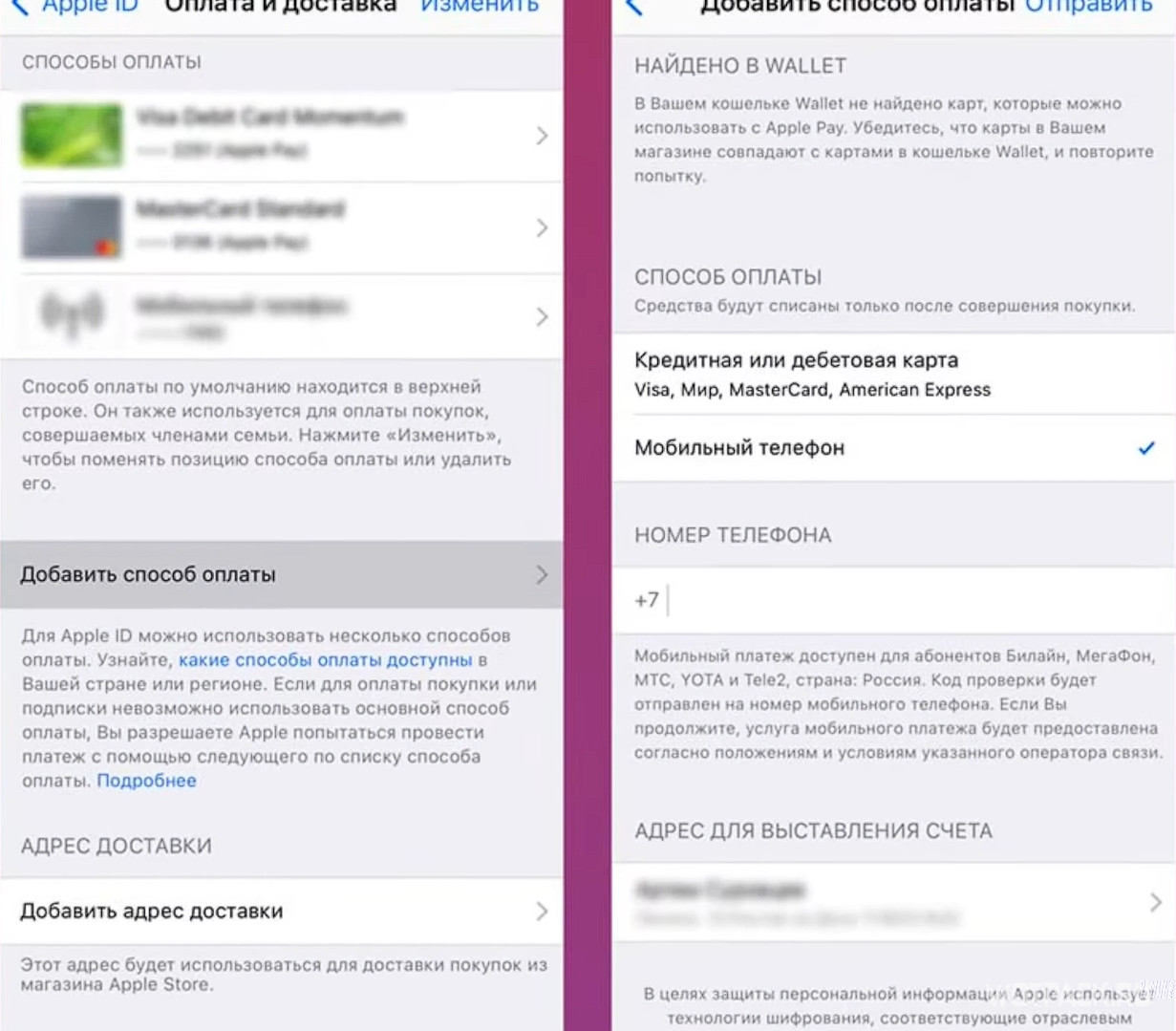
To pay via IOS: Apple ID settings > Click on the avatar icon > Payment and delivery > Add payment method > Mobile phone (MTS or Beeline) > Enter the number and confirm the code.
Through intermediaries
The method involves contacting third-party services or sellers who gain access to the account and replenish UC on their own for a fee.
If you still decide to turn to intermediaries, we recommend that you turn to the most popular services:
The only problem is that there are practically no offers for donations in PUBG KR.
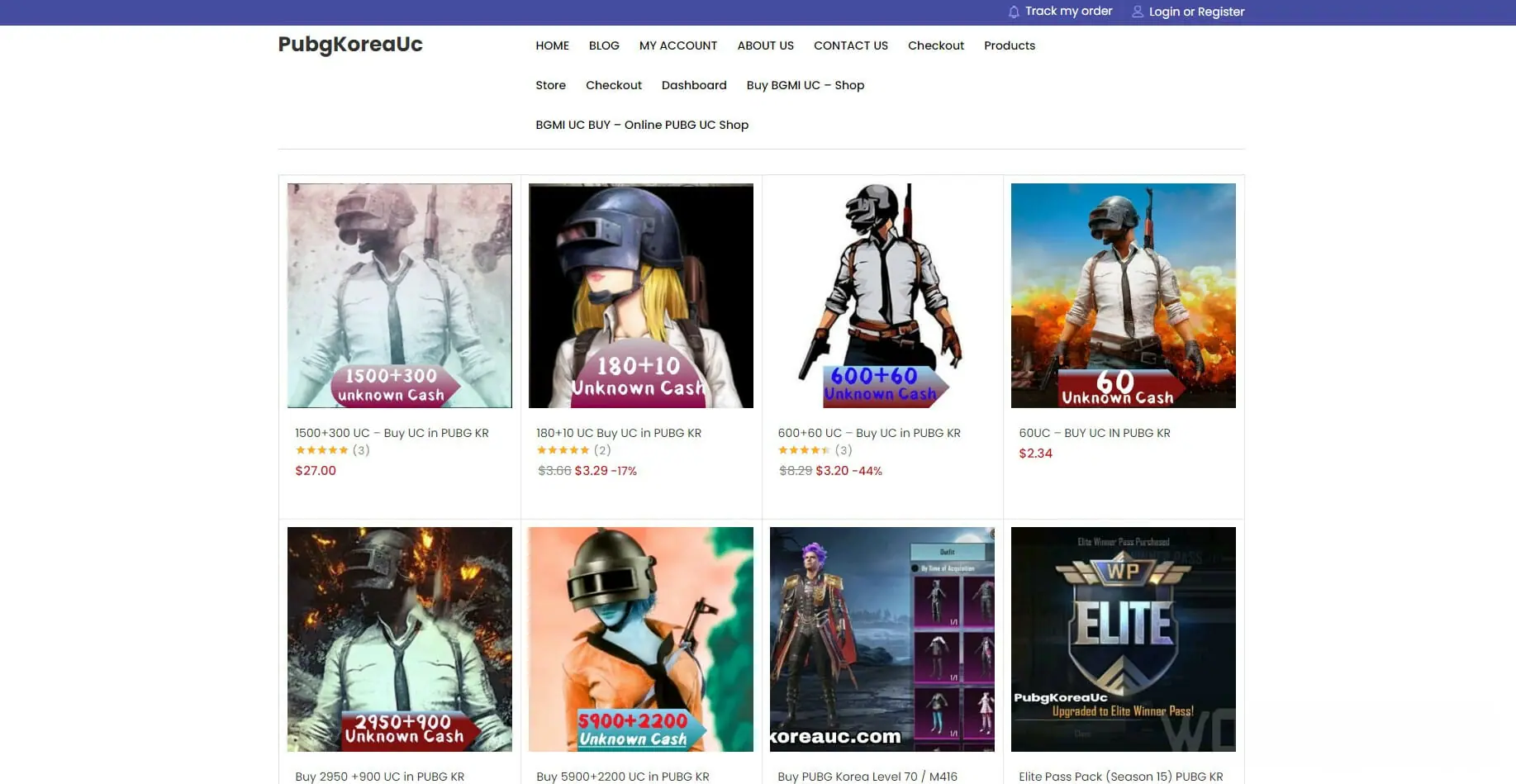
Alternatively, you can use the site PubgKoreaUc, which will also require data from the account. Given that this is a fan service, a 100% guarantee for the honesty of the services provided cannot be given. However, the site has been around for quite some time.
Through a bank card
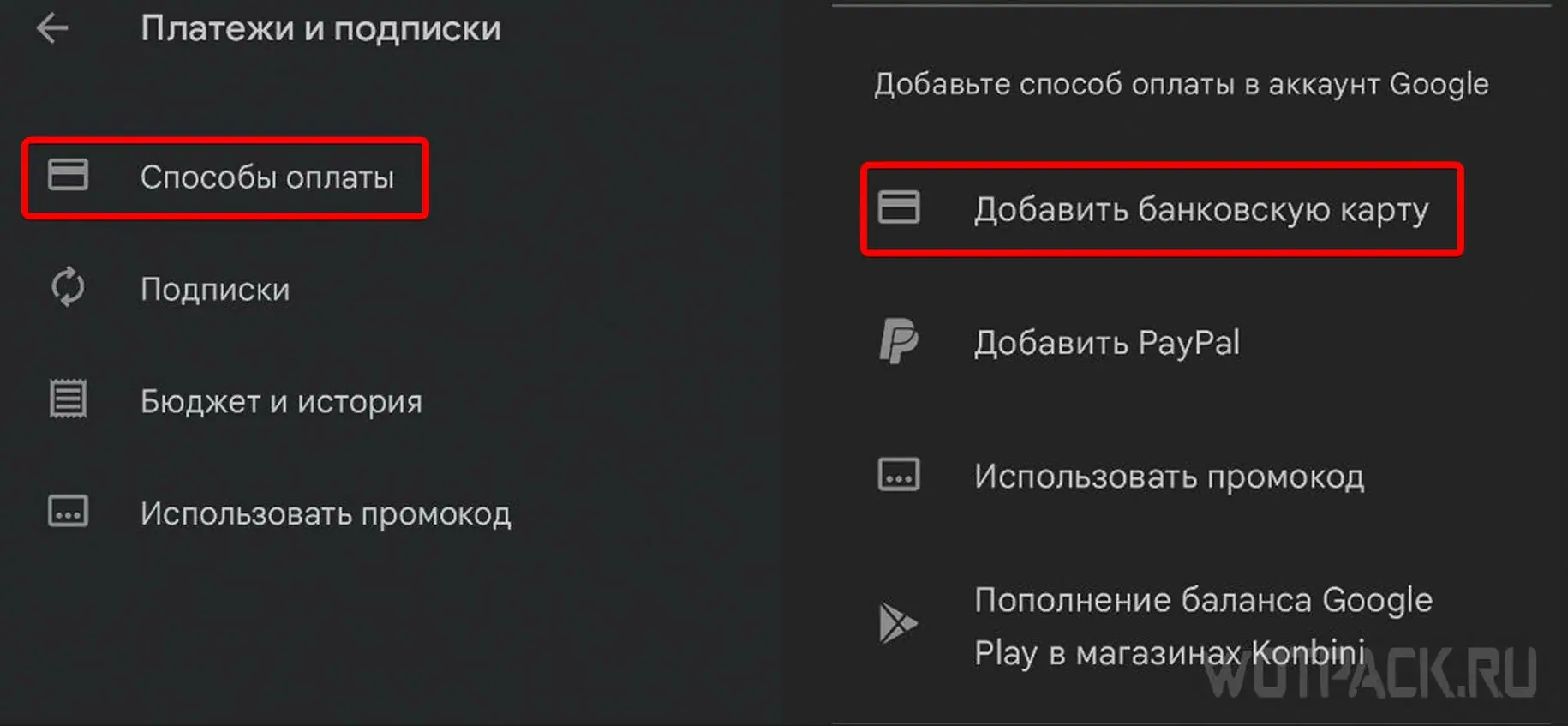
You can donate to Korean Pubg through a bank card. However, for this, the following points must be taken into account:
- An account created with a Korean or Japanese IP address is required for the corresponding tab to appear with adding a map.
- International debit or credit cards are only valid for Google Play Wallet top-ups.
- International payments must be enabled on the debit or credit card used.
After you have confirmed your chosen purchase method, log back into the game with one of the IP addresses listed above and purchase currency directly from the game store. Notewhich may incur additional charges.
How to donate to PAGB Mobile on iPhone (doesn’t work)
This method is related to QIWI and IOS account:
- Check out Kiwi website or open application and replenish your wallet in a convenient way.
- At the very top, in the search bar, type App Store & iTunes and go to the first request.
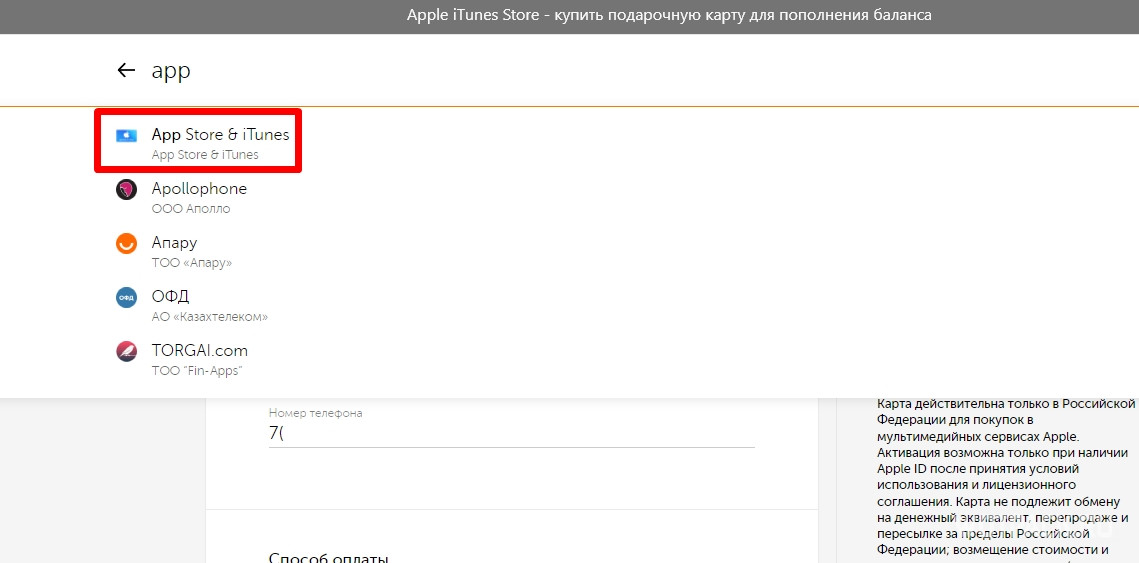
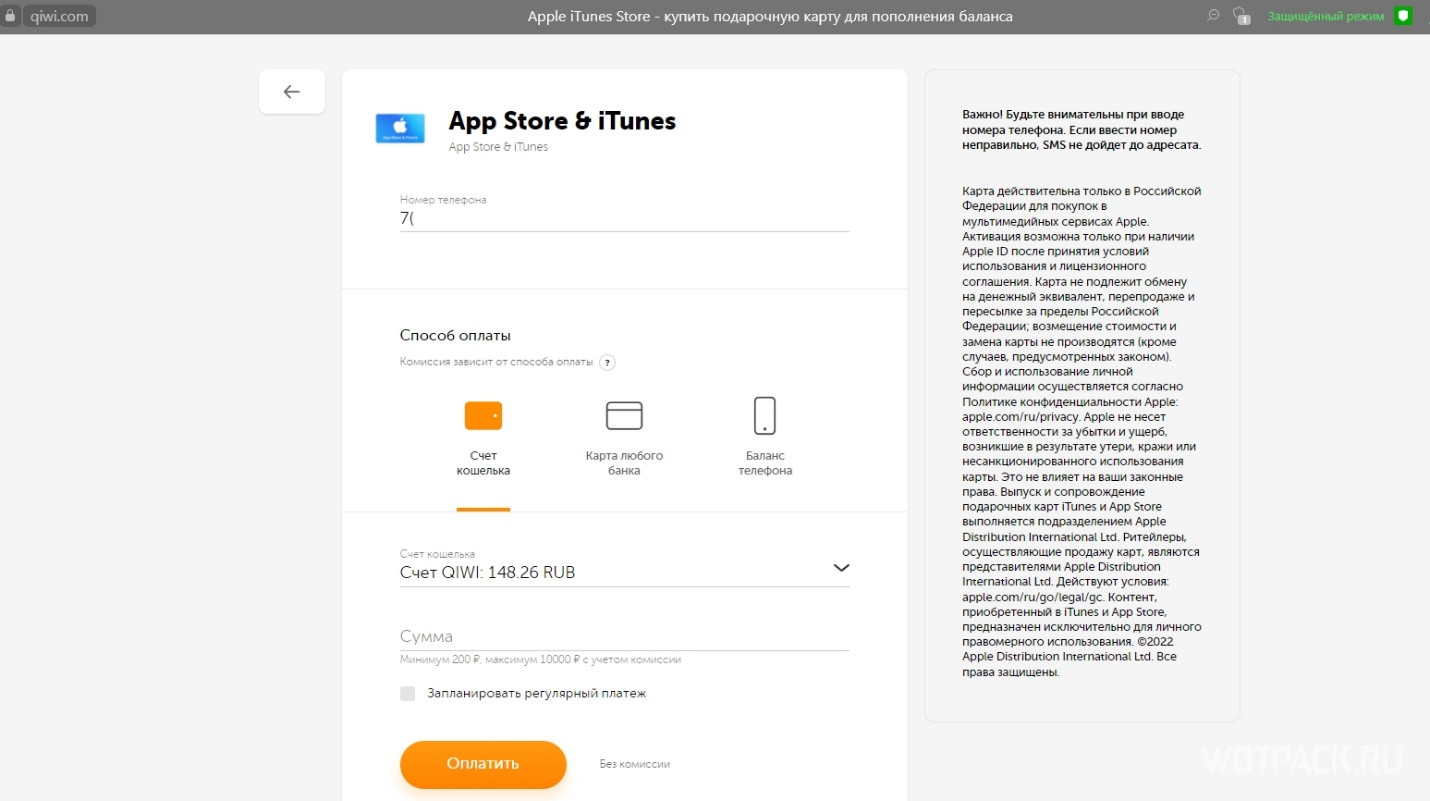
- Fill in all empty fields (indicate the number that is attached to App Store). After that, the account will be replenished and will come sms with activation code.
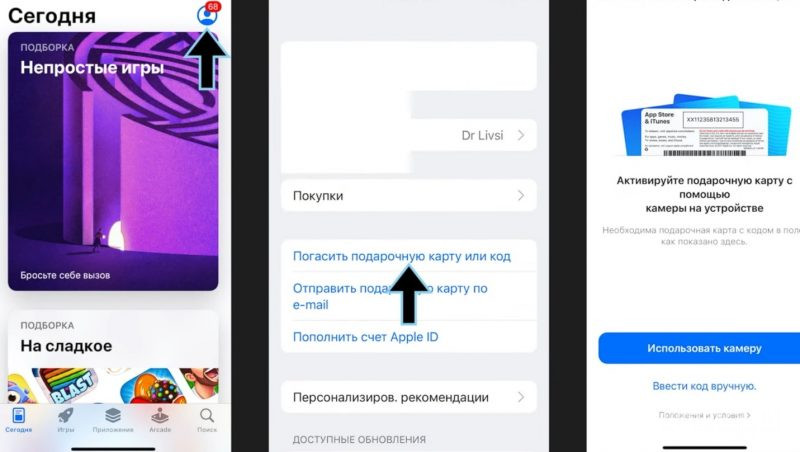
- The received code must be entered in the App Store account in the menu "Redeem a Gift Card or Code".
These are all working methods of how you can donate in PUBG Mobile. When new options appear, the article will be supplemented.








51905341357
Please, I need 180bps
52213176591
NM1C3EJ
I want 60 usi
I recently transferred money through Gameshopper, had no problems, and also bought the necessary equipment.